
Computers have become an important part of everyday life. Whether you use a computer for work, school, business, or entertainment, even a small technical problem can interrupt your routine. If you are looking for computer repair Katy TX, finding the right repair solution can help you avoid unnecessary stress, protect your important files, and get your device working properly again. From slow computers and damaged screens to software errors and hardware failures, every problem needs the right approach.
At IPC Repair Houston, we understand how frustrating computer problems can be. A laptop that refuses to start, a desktop that keeps freezing, or a system affected by malware can make simple tasks difficult. This guide explains common computer problems, available repair solutions, and what residents in Katy, Sugar Land, and Pearland should consider when choosing professional technical support.

Professional Computer Repair Services in Katy
A computer can develop different problems over time, especially when it receives regular use. Some issues start with slow performance, while others appear suddenly and prevent the system from turning on. Professional computer repair services in Katy, TX can help identify the actual cause instead of relying on temporary fixes that may not solve the problem.
Choosing a dependable computer repair shop in Katy, TX is important when your device contains personal documents, business information, or other valuable files. A proper inspection helps determine whether the problem comes from software, hardware, storage, or another component. Understanding the issue before starting repairs can also help you make a better decision about the next steps.
Reliable PC and Laptop Repair Solutions
A computer does not always need major repairs when something goes wrong. Sometimes, a damaged component, outdated software, or incorrect system settings cause the issue. Professional PC repair in Katy, TX can help identify these problems and restore normal performance without replacing parts unnecessarily.
Laptop problems can be different from desktop issues because laptops contain compact components that require careful handling. If your device has charging problems, overheating, a damaged keyboard, or unexpected shutdowns, laptop repair Katy TX may help determine whether the problem involves the battery, charging port, cooling system, or internal hardware.
Common laptop and PC problems include:
- Slow startup and long loading times.
- Frequent freezing or unexpected restarts.
- Damaged keyboards, touchpads, and screens.
- Battery and charging problems.
- Software errors and system crashes.
- Overheating during regular use.
Desktop and Computer Technician Support
Desktop computers are useful for home offices, gaming, business operations, and everyday tasks. However, dust buildup, failing storage drives, damaged power supplies, and loose connections can affect their performance. Professional desktop computer repair in Katy, TX can help identify faulty components and determine which repairs are necessary.
When a computer stops working correctly, guessing the cause can waste time and sometimes make the situation worse. A qualified computer technician in Katy, TX can inspect the device, explain the issue, and recommend suitable repair options. This approach helps users understand what their computer needs before spending money on replacement parts.
Affordable and Same-Day Repair Options
Computer repair costs depend on the type of problem, the parts involved, and the amount of work required. A simple software issue may need less time than a damaged motherboard or storage failure. Looking for affordable computer repair in Katy, TX means comparing the repair requirements and understanding the expected cost before approving the work.
Some computer problems need quick attention, especially when they affect work, school, or important business activities. Same-day computer repair in Katy, TX may be possible for certain problems, depending on technician availability, repair complexity, and parts availability. Always confirm the expected turnaround time before arranging a repair.
Computer Troubleshooting and Software Repair
Not every computer problem comes from damaged hardware. Software conflicts, incorrect settings, outdated drivers, and operating system errors can also affect how a device works. Proper computer troubleshooting in Katy, TX starts with checking the symptoms and identifying the source of the problem rather than making random changes.
Malware and viruses can create serious problems for computer users. They may slow down the system, display unwanted advertisements, change browser settings, or put personal information at risk. Professional virus removal in Katy, TX focuses on identifying suspicious programs, removing harmful software, and improving the device’s security.
Diagnostics and MacBook Repair
Before replacing a computer component, it is important to understand whether that part is actually causing the problem. Computer diagnostics in Katy, TX can help identify hardware failures, software errors, overheating, and storage-related issues. A proper diagnosis gives users a clearer idea of what needs attention.
MacBook computers also require careful inspection because their internal components and operating systems differ from many standard PCs. If your device has startup problems, a damaged display, battery issues, or software errors, MacBook repair Katy TX may help determine the right solution. Always choose a repair process that considers the specific model and its technical requirements.
Windows and Computer Screen Problems
Windows computers may experience different issues as they age or receive software updates. Failed updates, corrupted system files, driver conflicts, and startup errors can prevent the operating system from working correctly. Professional Windows computer repair in Katy, TX can help investigate these problems and restore normal system functions when possible.
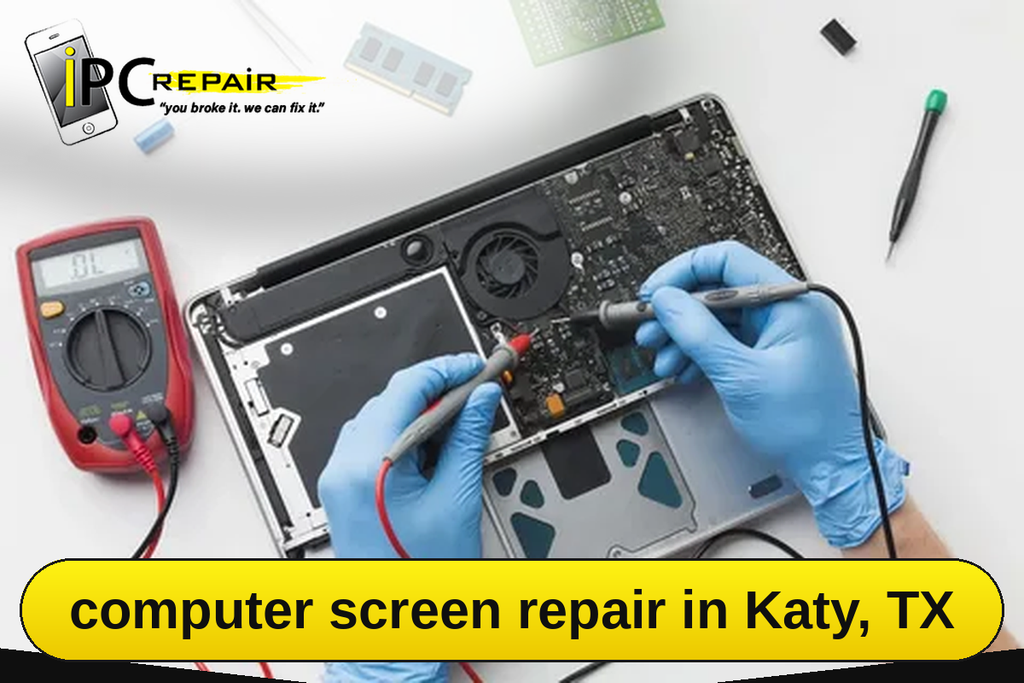
A damaged computer screen can make a laptop or desktop difficult to use. Flickering displays, broken panels, dark spots, and distorted images may indicate a screen or display-related problem. If you need computer screen repair in Katy, TX, the technician should inspect the display and related connections before recommending a replacement.
Reliable Computer Repair in Sugar Land
Computer problems can affect both personal and professional activities. Students may struggle to complete assignments, employees may lose access to important documents, and business owners may experience interruptions in daily operations. Reliable computer repair in Sugar Land, TX helps users understand their repair options and find a suitable way to address technical issues.
Different computers require different repair approaches. A laptop with a damaged charging port needs a different solution from a desktop with a failing hard drive. Professional computer repair services in Sugar Land, TX should begin with an inspection that considers the device model, symptoms, and condition before recommending any repair work.
Laptop, PC, and Desktop Repair Services
Laptops are convenient because users can carry them between home, school, and work. However, regular movement can sometimes lead to damaged hinges, loose charging connections, broken screens, and other hardware issues. Reliable laptop repair in Sugar Land, TX can help identify the cause and determine whether the affected component can be repaired or needs replacement.
Desktop computers offer flexibility because users can upgrade several internal components. However, incorrect installation or failing hardware can cause performance issues and unexpected shutdowns. Professional PC repair Sugar Land TX can help diagnose problems involving memory, storage, power supplies, cooling systems, and other important components.
Desktop users should also pay attention to unusual sounds, frequent crashes, and slow system performance. These symptoms may point to storage problems, overheating, or failing internal parts. Proper desktop repair in Sugar Land TX helps determine which component needs attention instead of replacing the entire computer without checking its condition.
Finding the Right Computer Repair Shop
Selecting a repair provider is about more than finding the lowest advertised price. You should consider the repair process, communication, technical experience, and whether the provider explains the problem clearly. A trustworthy computer repair shop in Sugar Land, TX should help you understand the available options before starting any work.
Good communication makes the repair experience easier. Before handing over your device, ask about the estimated repair time, possible costs, data protection, and whether replacement parts are required. A knowledgeable computer technician in Sugar Land, TX should be able to explain technical issues in simple language so you can make an informed decision.
Affordable Repair and Malware Protection
A computer problem does not always mean you need to buy a new device. In many cases, repairing a damaged component or correcting a software issue can be a more practical option. When comparing affordable computer repair in Sugar Land, TX, consider the total repair cost, the age of your device, and its expected performance after the repair.
Malware can affect computers in several ways, including slowing down applications, redirecting websites, and displaying suspicious pop-ups. If your device behaves strangely, professional virus removal in Sugar Land, TX can help identify and remove harmful programs. Users should also update their software and avoid downloading files from unfamiliar websites.
Data Recovery and Hardware Repair in Sugar Land
Losing important files can be one of the most stressful computer problems. Photos, work documents, school assignments, and business records may become inaccessible because of accidental deletion, storage failure, or software corruption. Professional data recovery in Sugar Land, TX may help retrieve files when recovery is technically possible.
It is important to stop using a computer when you suspect a serious storage problem. Continued use can sometimes overwrite deleted information or make an existing drive failure worse. If you notice unusual clicking sounds, repeated storage errors, or missing files, avoid unnecessary attempts to repair the drive yourself.
MacBook and Computer Troubleshooting
MacBook users may experience problems such as battery drain, slow performance, application crashes, and unexpected shutdowns. These symptoms can come from software issues or internal hardware faults. Professional MacBook repair in Sugar Land, TX can help identify the cause and determine the most suitable repair approach.
Sometimes, a computer appears damaged when the real problem is a software conflict or incorrect system setting. Careful computer troubleshooting in Sugar Land, TX helps separate software-related problems from hardware failures. This can prevent unnecessary component replacements and make the repair process more straightforward.
Hardware Problems and Component Inspection
Computer hardware includes several parts that work together to keep a device running. Memory, processors, storage drives, cooling fans, motherboards, and power supplies all play important roles. Professional computer hardware repair in Sugar Land, TX can help identify damaged or failing components and determine whether repair or replacement makes more sense.
Common signs of hardware trouble include:
- Unexpected shutdowns and repeated restarts.
- Loud fan noises or excessive heat.
- Missing files and storage errors.
- A computer that does not turn on.
- Display problems or unusual screen patterns.
- USB ports and other connections that stop working.
A proper inspection helps prevent unnecessary spending. Replacing a component without confirming the actual fault may not solve the problem, so diagnosis should always come first.
Dependable Computer Repair in Pearland
Computer problems can interrupt everyday activities, whether you use your device for online classes, remote work, personal communication, or business tasks. A computer that freezes during an important project or refuses to start can quickly become frustrating. Professional computer repair in Pearland, TX can help identify the problem and provide information about the available repair options.
Every repair begins with understanding the symptoms. A slow computer may need software maintenance, while repeated shutdowns may indicate overheating or a power-related issue. Reliable computer repair services in Pearland, TX should focus on finding the cause before suggesting a repair or replacement.
Laptop and PC Repair Solutions
Laptops are exposed to everyday wear because people carry them between different locations. Accidental drops, liquid spills, charging problems, and damaged ports can affect their performance. If your device has developed one of these problems, professional laptop repair in Pearland, TX can help determine which parts need attention.
Desktop computers can also develop issues that affect their speed and reliability. Failing storage drives, damaged memory, and cooling problems may prevent a computer from working properly. Professional PC repair in Pearland, TX can help users understand whether a component needs repair, replacement, or further testing.
Desktop Repair and Local Technical Support
A desktop computer that suddenly stops working may have a problem with its power supply, motherboard, memory, or storage device. Sometimes, a loose internal connection can also prevent the system from starting. Professional desktop computer repair in Pearland, TX can help locate the fault and determine the appropriate next step.
When choosing repair support, look for clear explanations and a careful inspection process. A reliable computer technician in Pearland, TX should discuss the symptoms, possible causes, and repair requirements before proceeding. This helps you understand the work being performed and avoid unexpected decisions.
Choosing an Affordable Repair Provider
Repairing an existing computer can sometimes cost less than replacing the entire device. However, the right choice depends on the age of the computer, the condition of its components, and the estimated repair expense. When searching for a computer repair shop in Pearland, TX, compare the quality of service and the clarity of the repair estimate rather than focusing only on price.
An affordable repair should still address the actual problem. If a technician recommends replacing a part, ask why it has failed and whether another repair option is available. Comparing the expected cost with the computer’s remaining useful life can help you make a sensible decision.

Fast Repair and Diagnostics in Pearland
Some computer problems need attention quickly because they prevent users from completing important tasks. A computer that will not start before a work deadline or a laptop with a damaged screen may require prompt inspection. Same-day computer repair in Pearland, TX may be available for selected issues, depending on the repair requirements and available parts.
Not every problem can be fixed within a few hours. Complex hardware failures, liquid damage, and storage recovery may require additional testing. Before choosing a repair option, ask for a realistic timeline so you know what to expect.
Virus Removal and Computer Diagnostics
Suspicious downloads, unsafe websites, and infected email attachments can expose computers to harmful software. Malware may slow down your device, interfere with applications, or put private information at risk. Professional virus removal in Pearland, TX can help identify suspicious programs and improve system security.
A computer may also show performance problems because of failing hardware or corrupted system files. Professional computer diagnostics in Pearland, TX helps investigate these symptoms and identify the source of the issue. This makes it easier to decide whether the device needs software repair, hardware replacement, or additional testing.
MacBook Repair and Data Recovery
MacBook users depend on their devices for creative projects, business activities, communication, and personal work. Problems such as damaged displays, battery issues, keyboard faults, and startup errors can interrupt these activities. Professional MacBook repair in Pearland, TX can help identify the affected component and explain suitable repair options.
Data loss is another issue that should never be ignored. A failing storage drive, accidental deletion, or corrupted file system may prevent access to important information. Professional computer data recovery in Pearland, TX may help recover files, depending on the type and severity of the damage. Avoid repeatedly restarting a failing device because this may make recovery more difficult.
Computer Hardware Inspection
Hardware failures can affect computer performance even when the operating system appears normal. A faulty memory module, damaged power supply, or overheating processor may cause repeated crashes and unexpected shutdowns. Professional computer hardware repair in Pearland, TX can help identify the affected part and determine whether it can be repaired or needs replacement.
Keeping your computer in good condition also reduces the chance of avoidable problems. Regular cleaning, proper ventilation, software updates, and careful handling can help extend the useful life of your device. If you notice unusual sounds or repeated performance issues, arranging an inspection early is usually a better choice than ignoring the symptoms.
Computer Problems You Should Never Ignore
Small computer problems can become more serious when users continue working without understanding the cause. A device that regularly freezes, overheats, or displays error messages may be showing signs of an underlying issue. Paying attention to these warning signs can help protect your files and reduce the risk of unexpected downtime.
Some common warning signs include:
- Slow startup and applications taking too long to open.
- Repeated blue screen errors.
- Overheating during normal use.
- Strange noises from internal components.
- Sudden shutdowns without warning.
- Frequent internet or connection problems.
If your computer starts showing these symptoms, avoid making random changes to its settings. Save important files whenever possible and seek proper technical guidance if the issue continues.
DIY Troubleshooting or Professional Repair?
Not every computer problem requires professional assistance. Simple steps such as restarting the device, checking cable connections, updating software, and freeing up storage space may resolve minor issues. However, users should understand their limits before attempting more complicated repairs.
Opening a computer without the right knowledge can damage delicate components. Problems involving motherboards, charging circuits, liquid damage, and failing storage drives need careful handling. Professional inspection is often the safer option when the device contains important information or has serious hardware problems.
Before attempting basic troubleshooting, consider these steps:
- Restart the computer and check whether the problem continues.
- Make sure power cables and external connections are secure.
- Install available operating system and security updates.
- Check available storage space.
- Back up important files before making major changes.
- Avoid opening internal components without proper experience.
These simple habits may help resolve minor issues while reducing the risk of accidental damage.
Why Choose IPC Repair Houston?
Choosing the right repair service can make a major difference in how smoothly the repair process goes. At IPC Repair Houston, the goal is to help customers understand their computer problems and explore suitable solutions. Whether a device has a software issue, hardware fault, or performance problem, a proper inspection is an important first step.
Customers should receive clear information about the repair process before approving any work. This includes understanding the suspected issue, the parts involved, and the expected turnaround time. IPC Repair Houston can discuss available service options and help customers determine the next step based on their device and repair needs.
Clear Communication and Practical Solutions
Technical problems can be confusing, especially when error messages contain unfamiliar terms. A good repair experience should make things easier rather than leave customers with more questions. Explaining the problem in simple language helps users understand why a repair is needed and what it involves.
Before approving a repair, customers should ask about:
- The cause of the computer problem.
- The recommended repair procedure.
- Expected repair costs.
- Parts availability and replacement options.
- Estimated turnaround time.
- Data protection and backup requirements.
This information helps customers make informed decisions and avoid misunderstandings during the repair process.
Support for Different Computer Devices
Every computer brand and model has its own design and technical requirements. A repair method that works for one laptop may not be suitable for another device. Proper inspection should consider the model, component compatibility, and the type of problem before any repair begins.
Whether you use a Windows desktop, MacBook, or everyday laptop, the right repair approach should focus on the actual condition of the device. IPC Repair Houston encourages users to explain their computer symptoms clearly so the repair requirements can be evaluated before work begins.
Simple Tips to Keep Your Computer Healthy
Regular computer maintenance can help prevent many common problems. You do not need advanced technical knowledge to follow a few simple habits that protect your device and improve its daily performance. Small maintenance steps can also reduce the risk of losing important files.
Here are some useful ways to maintain your computer:
- Keep software updated: Install operating system and application updates when available.
- Use reliable security software: Protect your device against viruses and malware.
- Back up important files: Keep another copy of important documents and photos.
- Maintain proper airflow: Keep vents clear to prevent overheating.
- Remove unnecessary programs: Uninstall applications you no longer use.
- Handle devices carefully: Protect laptops from drops, spills, and excessive pressure.
- Monitor storage space: Avoid filling your storage drive completely.
Following these habits can help your computer remain dependable for longer. If you notice a problem that continues after basic maintenance, professional guidance can help prevent further complications.

FAQS
How Much Does Computer Repair Cost in Katy?
Computer repair costs depend on the type of problem, required parts, and repair time. Software troubleshooting may cost less than replacing a damaged motherboard or display. Ask for an estimate after the technician inspects your device.
How Long Does a Computer Repair Usually Take?
Simple software problems may be resolved quickly, while hardware repairs can take longer. Parts availability and the complexity of the issue also affect turnaround time. Always confirm the estimated completion time before approving the repair.
Is It Better to Repair or Replace an Old Computer?
The decision depends on the computer’s age, condition, performance, and repair cost. If the device only needs a minor repair, fixing it may be worthwhile. However, replacing an older computer may make more sense when several major components have failed.
Can Important Files Be Recovered From a Damaged Computer?
File recovery may be possible when a storage drive becomes damaged, or information is accidentally deleted. The chances of success depend on the type and severity of the problem. Avoid using a failing drive repeatedly and seek professional advice.
Does IPC Repair Houston Serve Katy, Sugar Land, and Pearland?
Customers should contact IPC Repair Houston directly to confirm service availability for their specific location. Service options, appointment availability, and repair arrangements may vary by area and device type.
Get Reliable Computer Repair in Katy and Nearby Areas
Computer problems can interrupt work, education, and everyday activities, but the right repair approach can help you get back on track. Whether you are dealing with a slow laptop, a damaged desktop, software errors, or missing files, understanding the problem is the first step toward finding a suitable solution. If you need computer repair Katy TX, contact IPC Repair Houston to discuss your device’s symptoms and confirm the available repair options. With proper diagnosis, clear communication, and regular computer maintenance, you can make better decisions and keep your technology working as reliably as possible.